Dialer.One: The Ultimate Solution to Avoid RoboCaller Blocks and Costly Legal Pitfalls
In today’s business landscape, effective communication is paramount, but it’s often challenged by an array of obstacles, from RoboCaller blocking apps to costly Do-Not-Call (DNC) violations and TCPA litigations. Enter Dialer.One – a revolutionary platform designed to help businesses overcome these challenges while saving substantial costs. Discover how Dialer.One can empower your business and safeguard your communication endeavors.
Robocaller and Scam Blocking Apps: The Communication Barrier
The rise of RoboCaller and other scam likely blocking apps has made it increasingly challenging for legitimate businesses to reach their customers. These apps indiscriminately block calls, making it difficult for businesses to connect with their target audience. This communication barrier can result in lost opportunities and hindered growth.
Dialer.One: Breaking Through the Blockade
Dialer.One emerges as the ultimate solution to overcome the obstacles posed by RoboCaller and scam blocking apps. How does it work?
Smart Dialing Technology: Dialer.One employs cutting-edge predictive dialing technology that ensures your calls are not mistakenly labeled as spam. Say goodbye to missed connections and lost leads.
Data-Driven Strategies: Our platform prioritizes calls based on lead quality and predictive analytics. This means your agents are engaging with the most promising leads, optimizing your conversion rates.
Avoiding DNC Violations: Dialer.One provides built-in compliance mechanisms to help you steer clear of costly DNC violations. Stay on the right side of the law while reaching out to potential customers.
TCPA Litigation Protection: Our platform’s advanced features protect you from TCPA litigators by ensuring that your communication practices are in full compliance with regulations.
Saving Thousands with Dialer.One’s Custom Solution
Beyond overcoming robocaller blocks and legal hurdles, Dialer.One offers a groundbreaking solution that can potentially save your business thousands of dollars each month. What sets us apart?
Ownership, Not Monthly Charges: With Dialer.One, you own the custom-built dialer solution. Say goodbye to expensive per-seat monthly charges that can eat into your budget. This ownership model allows you to maximize savings and control your communication costs.
Scalability and Flexibility: As your business expands, Dialer.One grows with you. There’s no need to worry about any restrictions for scaling up your operations.
Exceptional Support: Our dedicated support team is available 24/7 to assist you. We’re not just a software provider; we’re your partner in communication success.
Start Saving Your Business Money Today!
Don’t let RoboCaller, DNC violations, and TCPA litigators impede your business growth and drain your resources. Dialer.One is your comprehensive solution to these challenges, offering smart technology, compliance protection, and substantial cost savings.
It’s time to break through the communication blockade and take control of your business’s future. Visit www.dialer.one today to explore the possibilities and embark on a journey towards enhanced communication, compliance, and savings. Dialer.One: Empowering your business for success.
Supercharge Your Business with Asterisk 18 and Dialer.One’s Custom Solution
In the ever-evolving landscape of communication technology, businesses are constantly seeking innovative solutions to enhance their operations, boost productivity, and save costs. Asterisk 18, the latest version of the open-source telephony platform, has emerged as a game-changer in this arena. When combined with Dialer.One’s custom-built dialer solution, it offers a powerhouse of benefits that can transform your business and drive growth while optimizing your expenditure.
Asterisk 18: A Glimpse into the Future of Telephony
Asterisk, developed by Digium (now part of Sangoma Technologies), has been a pioneer in the world of Voice over IP (VoIP) and Unified Communications (UC) since its inception. The release of Asterisk 18 brings forth a myriad of features and enhancements that position it as the go-to solution for modern telephony needs.
Key Features of Asterisk 18:
Enhanced Security: Security is paramount in today’s digital age, and Asterisk 18 comes with robust security enhancements. It offers improved encryption and authentication methods, protecting your communication infrastructure from potential threats.
IPv6 Support: As the world transitions to IPv6, Asterisk 18 ensures your telephony system remains future-proof with full support for IPv6 networking.
Advanced Analytics: Asterisk 18 introduces an integrated analytics framework, allowing businesses to gain deep insights into call performance, call quality, and other vital metrics. This data-driven approach aids in better decision-making and optimization.
Improved Video Conferencing: In an era of remote work and virtual meetings, Asterisk 18 enhances video conferencing capabilities, offering better quality and reliability for remote collaboration.
Expanded Codec Support: With support for Opus and VP9 codecs, Asterisk 18 ensures superior audio and video quality during calls, enhancing the user experience.
RESTful APIs: Asterisk 18 simplifies integration with third-party applications and services through RESTful APIs, making it easier to streamline business processes.
Now, let’s explore how Dialer.One’s custom-built dialer solution, powered by Asterisk 18, can revolutionize your business operations and help you grow while saving money.
Dialer.One: Turbocharge Your Business Communication
Dialer.One, built on the robust foundation of Asterisk 18, is a tailor-made solution designed to empower businesses in various sectors, from customer support to telemarketing. Here’s why it’s a game-changer:
1. Enhanced Efficiency:
Dialer.One leverages Asterisk 18’s predictive dialing capabilities to ensure your agents are always engaged with live leads. By minimizing downtime and maximizing agent productivity, you can achieve more in less time.
2. Cost Optimization:
Efficiency doesn’t just translate to better results; it also means cost savings. With Dialer.One, you can make the most out of your resources, ensuring that your budget is spent where it matters most – on successful customer interactions.
3. Scalability:
As your business grows, Dialer.One scales with you. Asterisk 18’s flexibility ensures that you can adapt your communication infrastructure to meet your evolving needs without costly overhauls.
4. Data-Driven Insights:
Dialer.One harnesses Asterisk 18’s advanced analytics capabilities to provide you with valuable insights into call performance, agent efficiency, and customer behavior. These insights empower data-driven decision-making for continuous improvement.
5. Exceptional Support:
Both Asterisk 18 and Dialer.One are backed by dedicated support teams that are available 24/7. You can rest assured that you have expert assistance whenever you need it.
In conclusion, by embracing Asterisk 18 and integrating it with Dialer.One’s custom solution, your business can unlock a host of benefits – from enhanced efficiency and cost savings to scalability and advanced analytics. This powerful combination can help your business not only survive but thrive in the fast-paced world of modern communication.
Ready to propel your business to new heights? Explore the possibilities of Asterisk 18 and Dialer.One today to experience the future of telephony and communication technology. Your growth, efficiency, and cost savings are just a call away!
Revolutionizing Business Communication with Dialer.One
In the world of digital business communications where instant reach and efficient customer interaction are critical, Dialer.One leads the way by providing innovative and cost-effective solutions to meet diverse communication needs. We understand that every second and every penny counts – Hence, we’re committed to offering you services that not only solve business communication problems, but also save you significant money.
Unlike other service providers, with Dialer.One, there are no per user monthly charges. This drastically reduces your communication overhead cost by almost 65%, thereby saving you from shelling out on expensive monthly dialer fees. But the benefits do not stop at cost effectiveness alone.
AI-Infused VoIP Services for Superior Connection Rates
Our flagship offering, the AI-infused VoIP service, effectively boosts your connection rates. Artificial Intelligence-driven answering machine detection ensures that your agents connect with more humans and fewer answering machines. This critical feature saves both your time and money, making your business processes more efficient.
Understanding the importance of local presence in building trust within customers, we provide AI numbers that intelligently change your caller ID to a local area code presence. This boosts customer engagement by giving that personal touch to each connection.
Effective Scam Likely Cleaning
In an environment where businesses are often seen as potential sources of scam, we offer Scam Likely Cleaning as part of our offerings. This feature provides an added layer of trust and reliability to your communications, ensuring that your calls are not only answered but also heeded to.
Robust Performance Monitoring
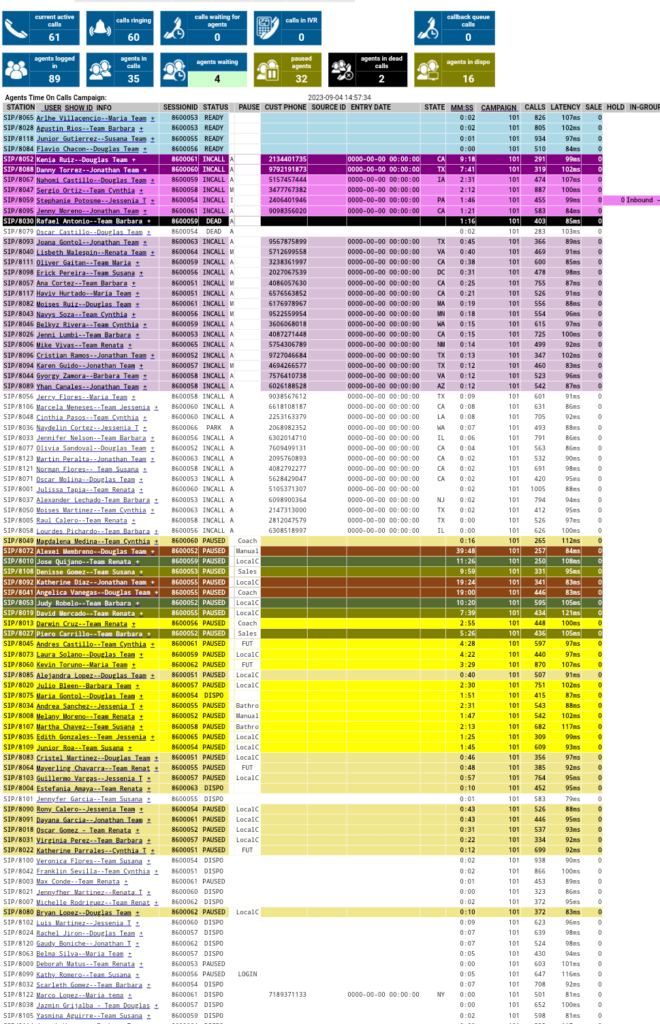
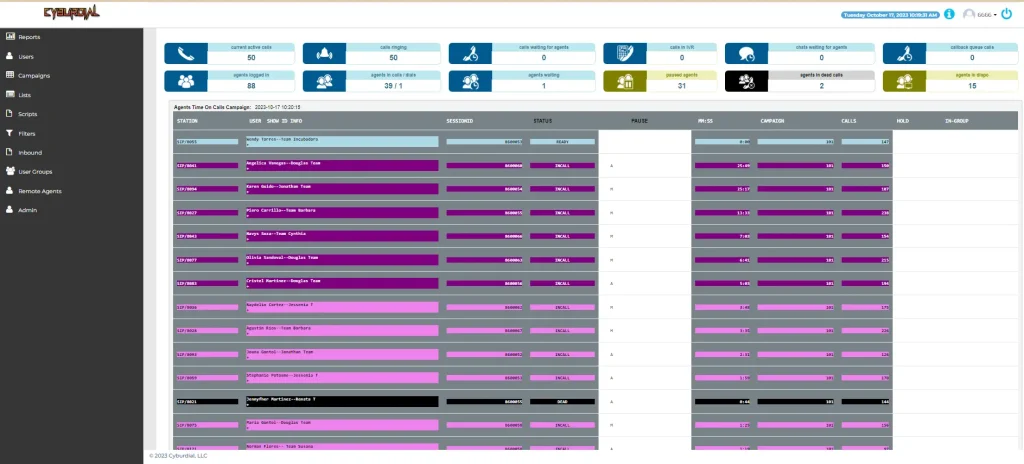
To help you stay on top of your business communications, we provide robust agent performance monitoring. Our system allows for full visibility of agent activities, giving you actionable insights into your operations. This vital feature helps you track performance metrics and enables you to make data-driven decisions.
Real time agent monitoring
Seamless Integration
Understanding that your CRM system is at the heart of your business, we offer full and seamless integration with popular CRM systems like Zoho, Salesforce, amongst others. This means that your agent does not have to switch platforms to manage customers, thereby increasing efficiency.
At Dialer.One, we believe that every business is unique, and so are its communication needs. Our offerings are not just about providing a service; they are about partnering with you to build a future-ready communication system that drives growth and profits for your business.
Experience seamless communication tailored to your business needs with Dialer.One. No commitments, no contracts, only results. Try us today and let’s build a future where communication is no longer a challenge, but a competitive advantage.
We are the only vendor on the planet that has everything under one roof for a complete Contact Center Build-Out.
Providing customer service is basic, however, it is a top priority that directly affects a company’s bottom line. With Dialer One, you have control of inbound/outbound customer campaigns without contracts or excuses from a service provider. Wouldn’t it be nice to own your own contact center system? Imagine not having to rely on another businesses downtime or wait time for support. We specialize in building your business a contact center system that not only dials your customers, but also had the ability to email, chat directly with potential clients from your website or other platforms, send and receive text messages, video conferencing, as well as full integrations with your CRM of choice such as Zoho, SalesForce, vTiger, SuiteCRM or any other CRM software of your choice. So what are you waiting for, give us a call now and let’s talk about how we can help you triple your results at the very least with our Contact Center Build-Outs!
Voip phone system
What Is Included in your Contact Center Build-Out?
Full System Automation
AI numbers which takes your DID you place the call from, changes the caller ID to a local area code presence and attestation level A shaken token and then sends the call, if the caller calls back, it’s handled by their backend to automatically map the call back to your original DID.
Full 2-Way seamless integrations with High Level, SalesForce, Zoho and more.
Artificial Intelligence driven answering machine detection giving your agents more humans and less answering machines, saving wasted time and money
Blended outbound & inbound campaigns
All Leads Go To All your Agents
Agent Performance Monitoring
Full Visibility as to what all your agents are doing
Provide full reports for all your clients
Full Quality ControlControlControlControloutboundControlControlControlControloutbound Implementation
Full Quality Control and Coaching implemented: We’ve examined countless call centers and almost everyone is missing the mark!
Agent Performance / Time Management
Able to monitor what agents are doing at a granular level
Individual agent monitoring / DID disposition
Monitor agents individually for conversion rates.
Full Learning Management System for easy onboarding of new agents
Who Should Use Dialer One’s Services?
Solar Companies
Marketing Agencies
Health Insurance Companies
Real Estate Companies
Travel Agencies and Vacation clubs
Any company that wants to focus on revenue-generating activities and also be in complete control of their business. We are ready to get you going TODAY!
Hey, my name is Chris aka carpenox. I am one of the most well known vicidial contributers on the planet, just ask around. The blog on our website gets over 250 hits a day from around the globe and I also contribute on the ViciDial forums. I know this dialer system inside and out and have made many custom features for clients as needed as well as a nicer user and admin interface. I now have put together a team of talented individuals to which we build custom dialer solutions with full CRM integrations and API capabilities as needed through your requests. So what are you waiting for? Let us start building your future!
Special Offer for the first 10 applicants : Basic dialer build that YOU own for $250(50% off)
Why choose The Dialer One? Here’s what sets us apart:
You own this system, you don’t rent it so there’s no monthly charges. Reduce you’re business overhead by 65%, without those expensive per user monthly dialer fees. Effective and efficient USA based customer support. Unbeatable pricing – With this one time discount of 50% off, you can’t beat it for something you’ll own once built. Fully customizable platform, with full API capabilities, features to add or remove with thousands of options, plus the design itself can all be changed. Can be fully integrated with most CRM systems such as Zoho, SugarCRM, TigerCRM, GoHighLevel or whatever CRM you are using. Guaranteed one POC – You’ll be assigned your own support rep to handle your entire build process. Remote installation, your support tech will install your system with all your changes directly onto YOUR server, not ours within 24 hours of your purchase.
Experience seamless communication from your state-of-the-art VoIP phone system custom built to meet your business needs. As a special offer, we’re providing a basic dialer build to the next 10 applicants! Don’t miss out on this opportunity to discover the possibilities and reduce your monthly communication costs but as much as 75%!
Just to clarify, your dialer system can do everything the big companies like RingCentral, Dialpad, Convoso and the others can do and much much more with the ability to add both basic and API features, as and when needed. Not only that but we can also integrate your CRM with automated processes that add the information for you as soon as your sales call is done. Not only that, but we can also add other communication options such as SMS, Video chat, WhatsApp, Facebook and more. How is that possible? It’s YOUR system, you OWN it, you don’t rent it with those expensive monthly or yearly charges. So what are you waiting for, let’s get your dialer system up and running today!
If you want to get right into a more advanced build with API triggers and design changes or added features, we will give you a free quote today.
For a free quote on a more customized system click here
If you’re ready to buy our $250 special, clock the button below:
This short post is just going to briefly go over the more common commands you need in order to manage firewalld and make sure you keep your servers safe. This firewall works in conjunction with the dynamic portal for ViciDial as well as the built in whitelist initially named ViciWhite in the IP list area in Admin.
Dynamic portal
Systemctl and Firewalld
Enable firewalld
This makes sure that firewalld will be started automatically with the server.
systemctl enable firewalld
Start firewalld
After the firewalld service is enabled, you’ll need to start it manually the first time. This is how you would manually start firewalld if it were not already running.
systemctl start firewalld
Stop firewalld
When troubleshooting rules and connection issues, you may need to stop the fireawlld service momentarily. You can stop the service with the following command.
systemctl stop firewalld
Restart firewalld
If for some reason, you need to restart the service, you can do that with the systemctl restart command.
systemctl restart firewalld
Firewalld status
Checking the status of the service gives us the most meaningful and informative output. Here you can see whether the service is enabled, running, failed, or anything else.
systemctl status firewalld
In this example output, you can see that the service is enabled, active, and running on the server. If it were not running or in a failed state, this would be displayed.
[root@alma ~]# systemctl status firewalld
● firewalld.service - firewalld - dynamic firewall daemon
Loaded: loaded (/usr/lib/systemd/system/firewalld.service; enabled; vendor preset: enabled)
Active: active (running) since Tue 2019-01-22 22:50:32 EST; 1h 0min ago
Main PID: 808 (firewalld)
CGroup: /system.slice/firewalld.service
└─808 /usr/bin/python -Es /usr/sbin/firewalld --nofork --nopid
Managing Firewalld and Configuring Rules
Now that we have firewalld running, we can get down to set the configuration. We can open ports, allow services, whitelist IPs for access, and more. In all of these examples, we include the –permanent flag. This is important to make sure a rule is saved even after you restart firewalld, or reboot the server. Once you’re done adding new rules, you need to reload the firewall to make the new rules active.
Add a Port for TCP or UDP
You do have to specify TCP or UDP and to open a port for both. You will need to add rules for each protocol.
Using a slight variation on the above structure, you can remove a currently open port, effectively closing off that port.
firewall-cmd --permanent --remove-port=444/tcp
Add a Service
These services assume the default ports configured within the /etc/services configuration file; if you wish to use a service on a non-standard port, you will have to open the specific port, as in the example above.
You can also allow a range of IPs using what is called CIDR notation. CIDR is outside the scope of this article but is a shorthand that can be used for noting ranges of IP addresses.
As the firewall-cmd tool is mostly used for opening or allowing access, rich rules are needed to block an IP. Rich rules are similar in form to the way iptables rules are written.
Whitelist an IP Address for a Specific Port (More Rich Rules)
We have to reach back to iptables and create another rich rule; however, we are using the accept statement at the end to allow the IP access, rather than reject its access.
firewall-cmd --permanent --add-rich-rule='rule family="ipv4" source address="192.168.1.100" port protocol="tcp" port="3306" accept'
Removing a Rich Rule
To remove a rich rule, use the option —remove-rich-rule, but you have to fully specify which rule is being removed, so it is best to copy and paste the full rule, rather than try to type it all out from memory.
firewall-cmd --permanent --remove-rich-rule='rule family="ipv4" source address="192.168.1.100" port protocol="tcp" port="3306" accept'
Saving Firewall Rules
After you have completed all the additions and subtraction of rules, you need to reload the firewall rules to make them active. To do this, you again use the firewall-cmd tool but using the option –reload.
firewall-cmd --reload
Viewing Firewall Rules
After reloading the rules, you can confirm if the new rules are in place correctly with the following.
firewall-cmd --list-all
Here is an example output from the –list-all option, you can see that this server has a number of ports, and services open in the firewall along with a rich rule (that forwards one port to another).
Hopefully this will help a lot of you that end up just not using a firewall at all because it intimidates you not knowing how to use it correctly. Well, I’ve just eliminated that excuse, so now I want to see more of you securing your servers and dialer systems. Here is a few articles to get you started in the right direction.
That’s it for this article, hopefully you guys take this serious because hackers, especially ransomware thieves are targeting dialer servers in particular for their schemes, such as using the VoIP to call their victims to either trick them into downloading files or threatening them over the phone with blackmail or other means. BazarCall is one of the more well known tools thats being used by the ransomware group called Ryuk.
This article is going to go over the steps I suggest to take in order to setup a ViciDial Cluster. I do things a little different when it comes to this to prepare for worst case scenario that a server may have problems and have to be taken offline, I install all services to each server, such as apache, mysql and asterisk this way if need be, they each can take on additional roles to cover for a server having to be taken out of production. Obviously this is going to assume you have ViciDial already installed on each server with all roles ready to go. To do so you can follow any one of my articles for scratch installs or you can just use an ISO to install of which I suggest using Vicibox v9.0.3 over V10 because of the issues with the V10 firewall and dynamic portal not working correctly, even if you do apply my fix, I find V9 to be more stable.
ViciDial Cluster
Step 1 – Install Vicidial on each server
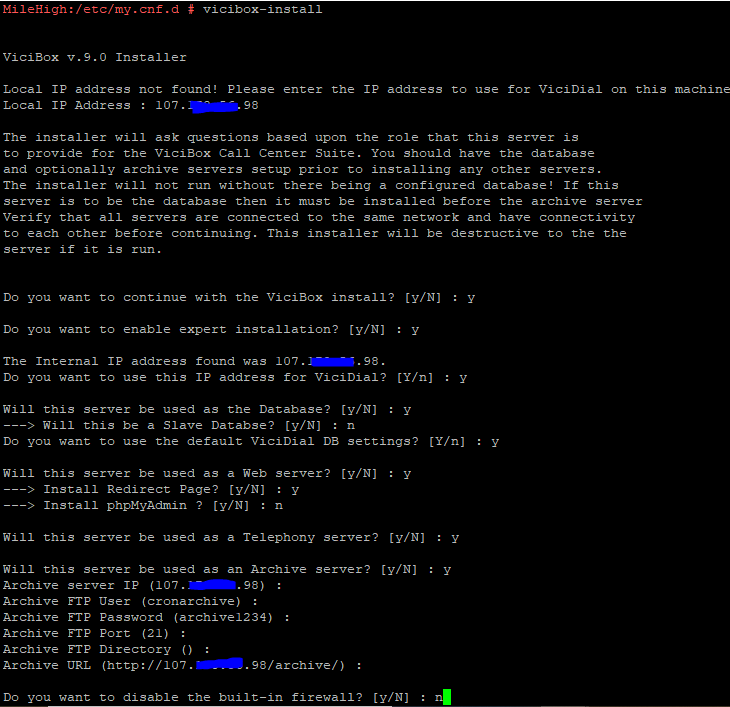
As I said above, I suggest installing all services on each server and just leaving the ones not needed for each box, disabled until needed. So if you are using an ISO install instead of one of my scratch instructions, for the purpose on this article, lets say ViciBox v9.0.3. The first thing you need to do after loading v9 is to upgrade the operating system from Leap 15.1 to Leap 15.2 using these instructions, because Leap 15.1 is end of life(no more updates). After that use the command, vicibox-install and choose Y(yes) for the options shown in the picture below:
vicibox-install
Repeat this process on each server and then move on to step 2.
Step 2 – Turn off services not needed on each server role
Now we need to disable services not needed on each server to save on resources, but this way they are there if they are needed in the future.
DB Server: systemctl disable apache2;systemctl disable asterisk
Web Server: systemctl disable mysql;systemctl disable asterisk
Now we want to link them all together by running the install.pl script located in the source directory for vicidial, follow the following commands to get to and run it:
cd /usr/src/astguiclient/trunk
perl install.pl
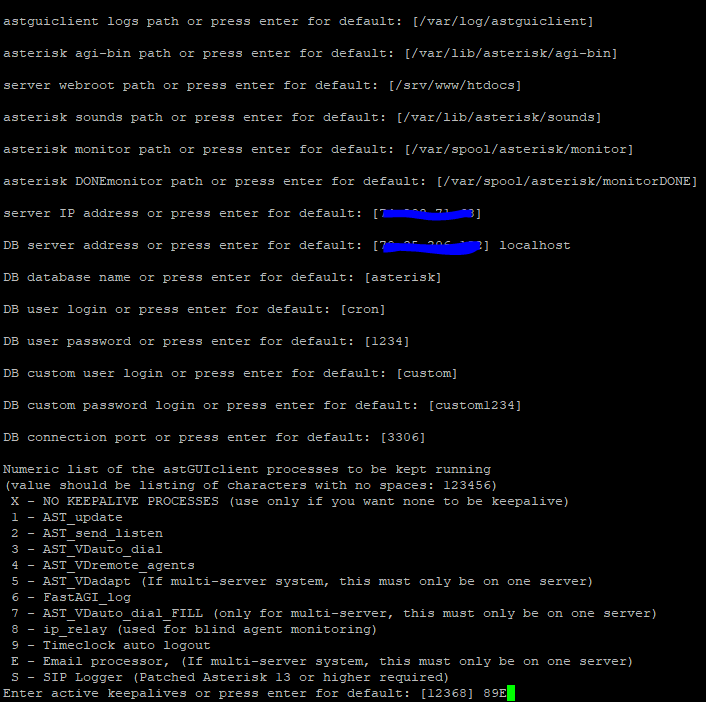
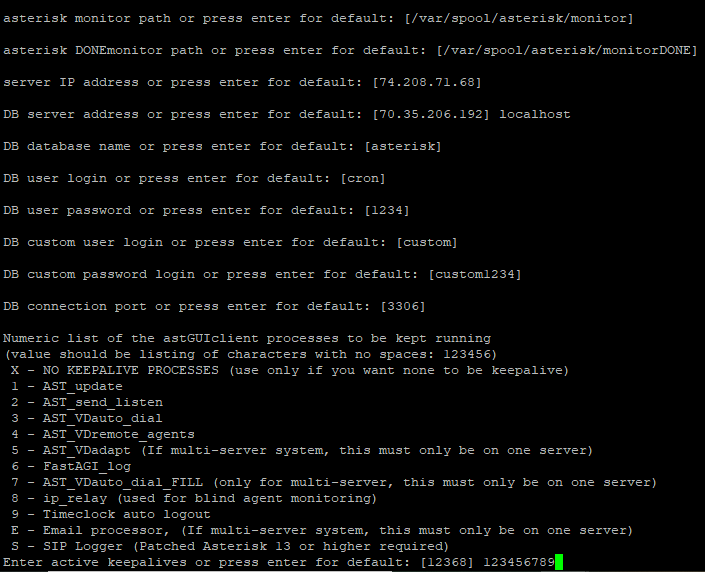
Now follow the prompt and answer them accordingly. The pictures below will show the choices needed for each server role except make sure you set the IP for the DB server on all the rest instead of localhost.
DB Server and Web Server
DB Server
For the web server make sure you put the DB server IP instead of localhost
Asterisk Servers
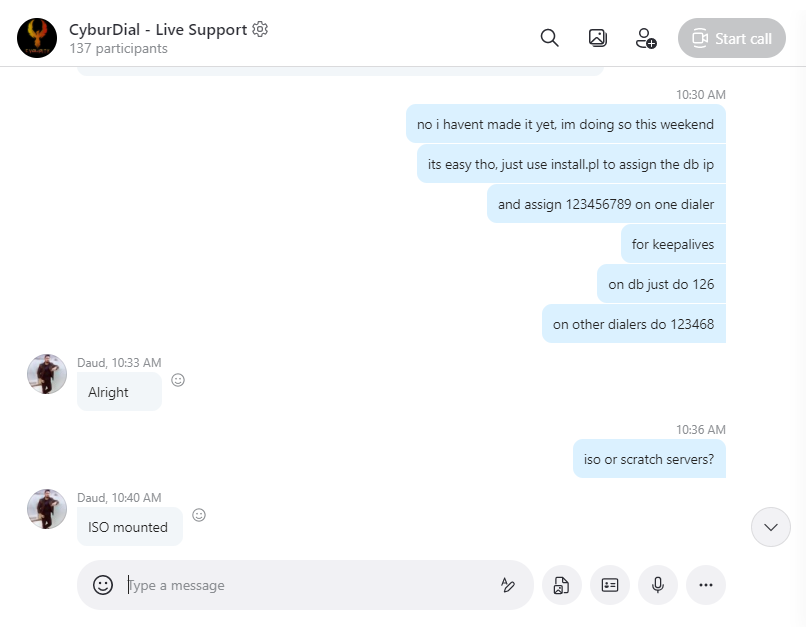
Only use 5 and 7 on ONE asterisk server, not all, the rest put 123468
Make sure you only put 5 and 7 keepalives on one asterisk server, the rest you should only choose 123468.
Step 4 – Add them to the GUI for ViciDial
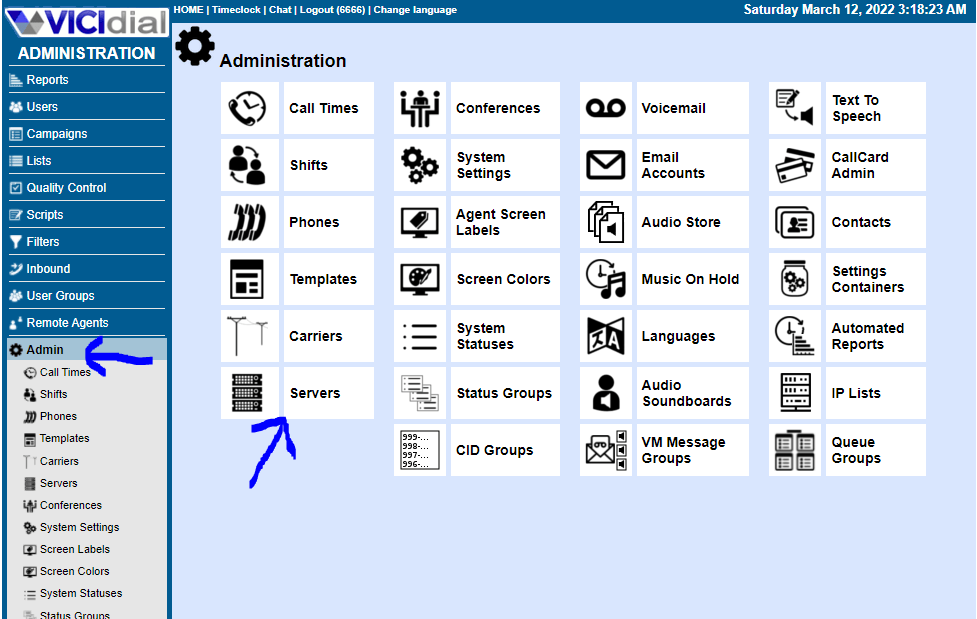
Now we need to add them into the GUI for Vicidial by going to Admin then servers
Go to Servers in the Admin area
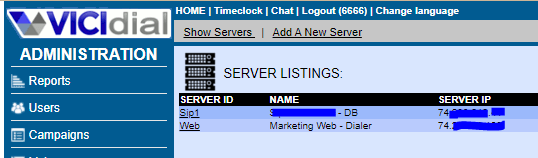
Once you are here, click “Add a new server”
Once you are here, click “Add a new server”
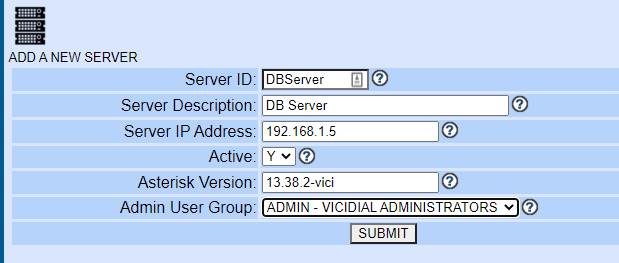
Fill out the fields accordingly and click submit
Add a new server
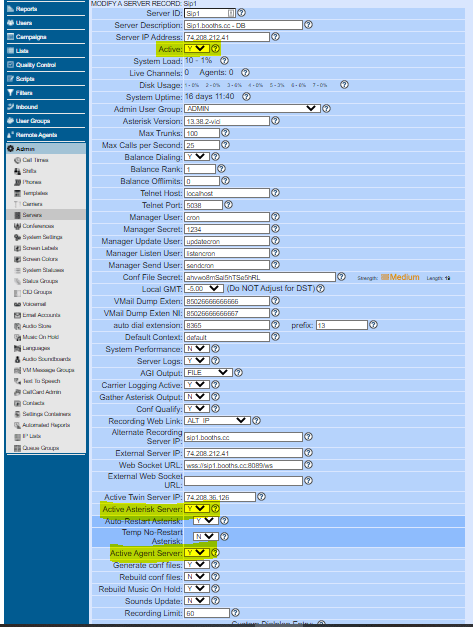
Now for the DB and web server turn the options to N(no) where you see highlighted below:
Active server, Active Asterisk server and Active agent server set to N
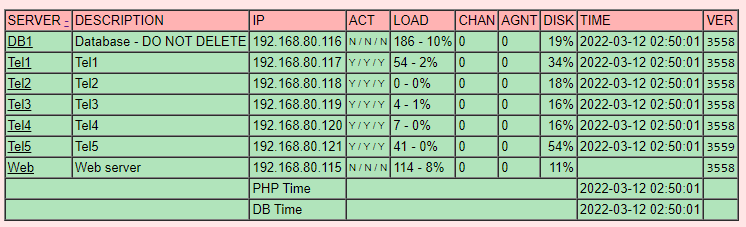
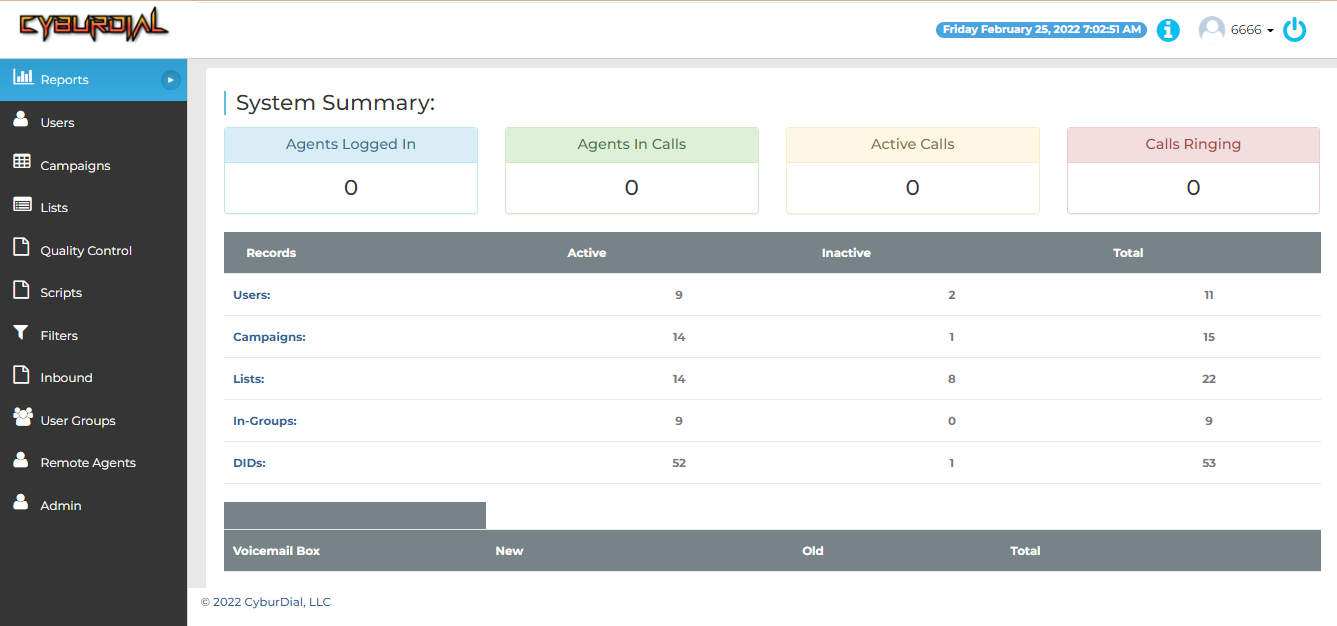
Now reboot all servers and then check your reports page to make sure all servers are set to green like shown below
ViciDial Cluster
That’s all there is to it, not as hard as you thought it would be, right? If you have any questions feel free to join our live support on Skype:
I am carpenox from the Vicidial forums and I enjoy helping our community, of which I do free of charge, however my one on one time helping people out I do have to charge for my time in order to keep this going. If my articles have helped you out and you’re making money now because of my help, please think about donating to the cause so I can keep this blog going. Here is a link to donate through PayPal.
CyburDial – Check out our new admin and agent interfaces
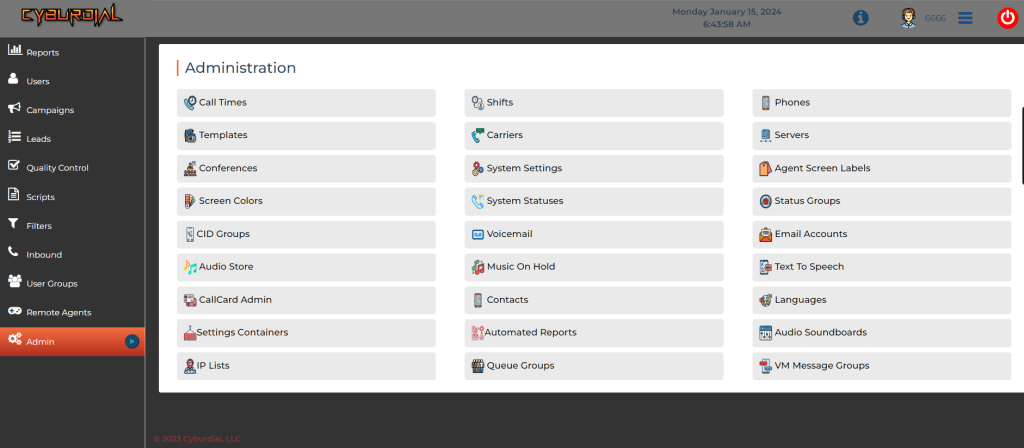
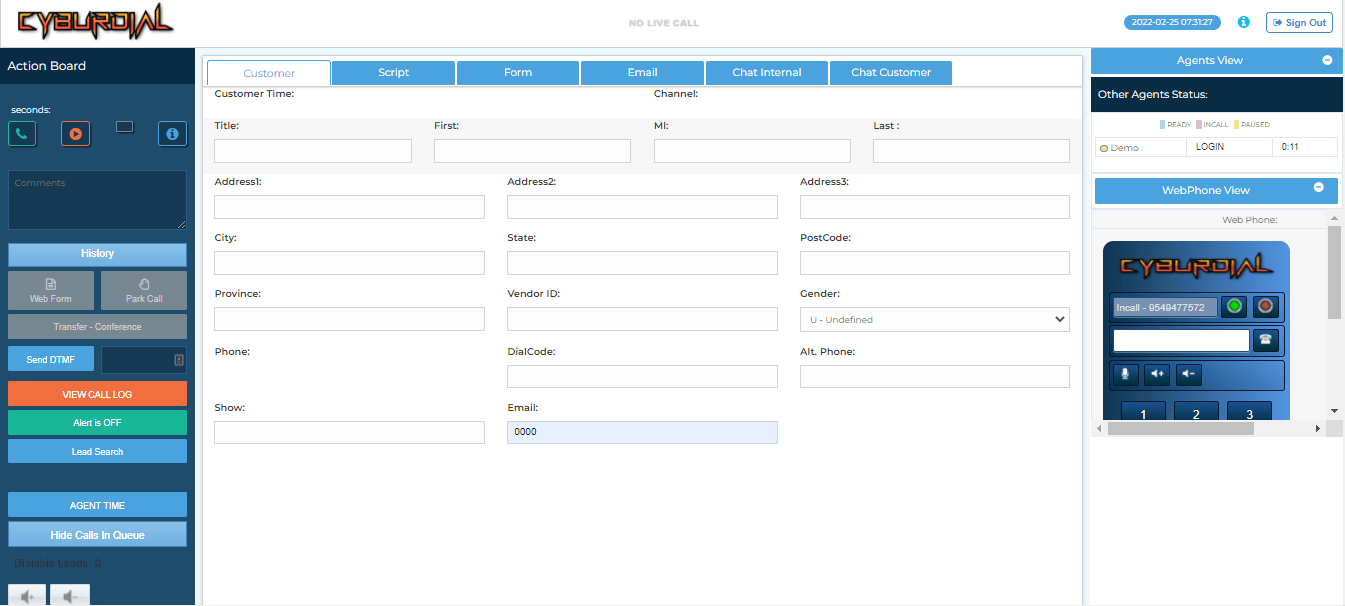
We are pleased to announce the release of our new interface! Check our the admin and agent areas with our fresh new professional look. You can login through CyburDial Demo with the username: 0000 and the password: demo but make sure you login through the firewall access first in order to have your IP added to the firewall.
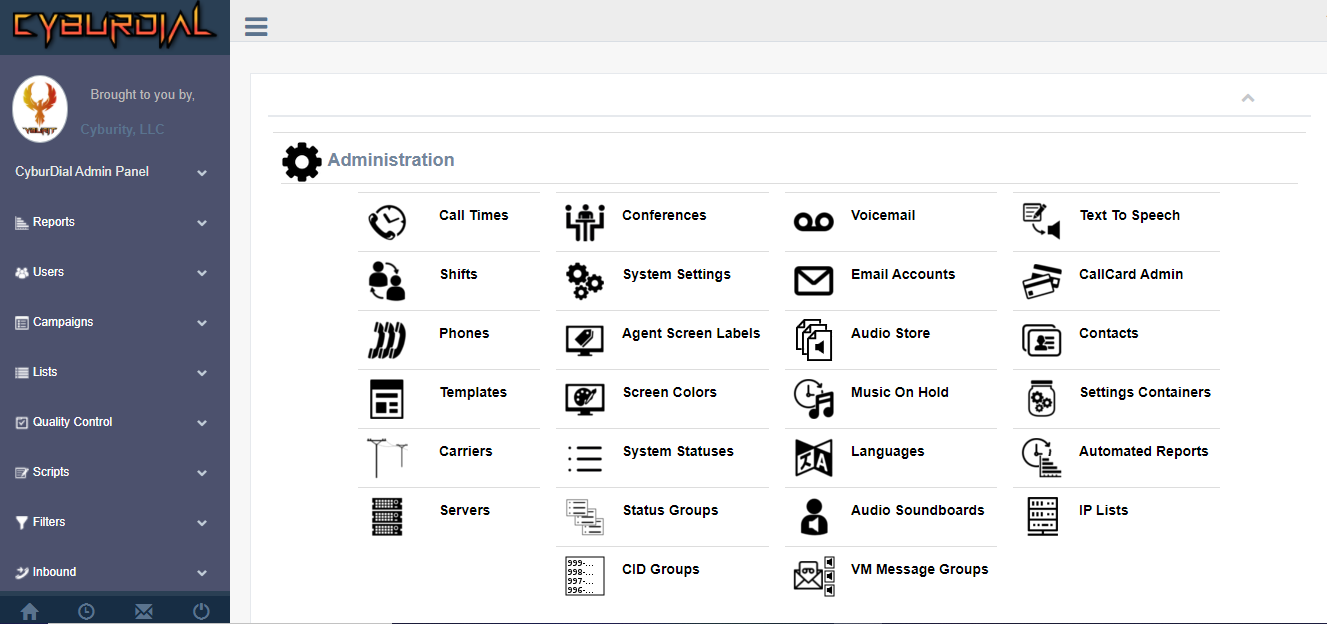
CyburDial Admin Interface
CyburDIal Admin
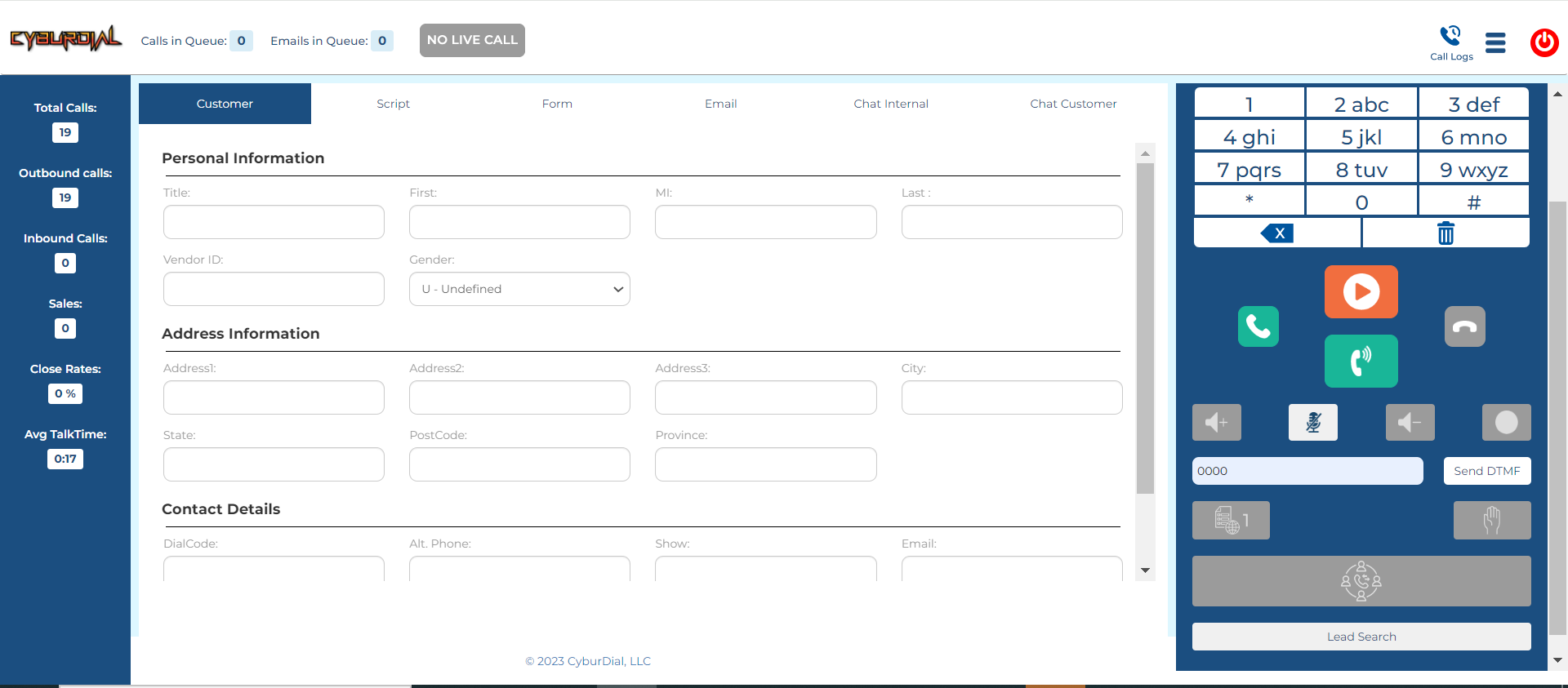
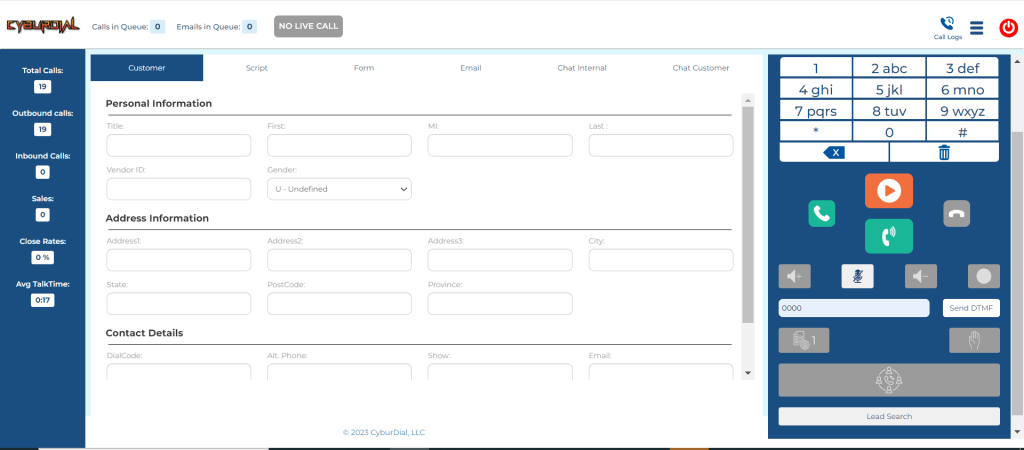
Our easy to navigate agent interface has all the features you could need and a nice crisp clean look that brings our industry into the year 2025!
How to – Scratch install the dynportal on CentOs, Rocky, or Alma Linux
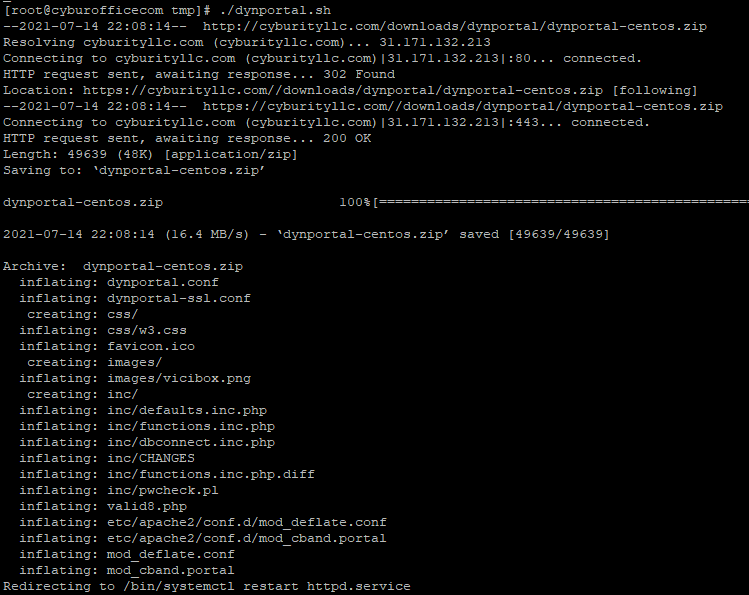
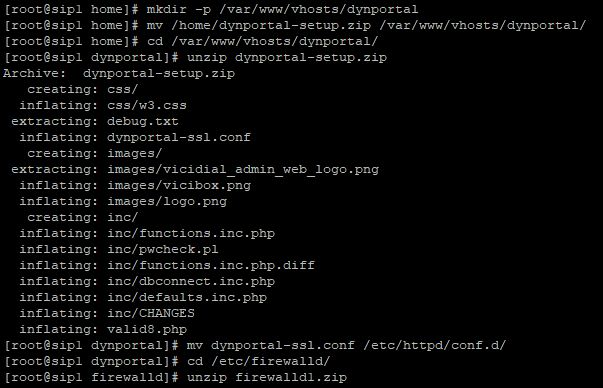
This article will go over the steps to Scratch install the dynportal on a scratch CentOs, Rocky or Alma Linux Vicidial box that normally comes with the ISO. I have created the files you need and host them on one of my sites for download.
Step 1 – Download the necessary files
You will need 4 files to get this working on your server that you can download below
Add the following lines to the bottom of your crontab by typing: crontab -e
### ViciBox integrated firewall, by default just load the VoIP Black list and reload it every 4 hours
### You can lock everyone out of your server if you set this wrong, so understand what you are doing!!!
@reboot /usr/bin/VB-firewall --whitelist=ViciWhite --dynamic --quiet
* * * * * /usr/bin/VB-firewall --whitelist=ViciWhite --dynamic --quiet --flush
Step 5 – Add ports to firewall and apache
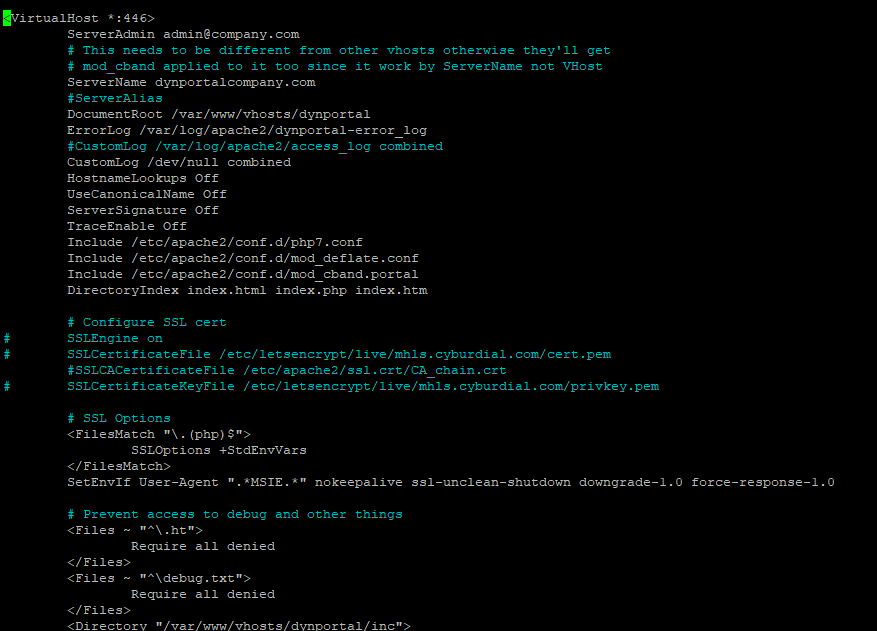
Now use firewall-cmd and open port 446 on the firewall for public zone like such:
CyburDial -:- A Cloud Based ‘Zero Trust’ Predictive Dialer
In this emerging world of ransomware, malware, and hacks such as SolarWinds becoming our everyday reality, how concerned are you with data security? How important is your privacy and sense of security? WCW I(World Cyber War) is right around the corner and if you think that your business is not a target, then perhaps you should check out my blog post about how hackers are leveraging Linux servers, especially for their personal criminal VoIP needs(ie. for ransomware threats) and other monetary gains. That’s why, all of us here at CyburDial, offer you a “Zero Trust” environment as suggested by the NSA, that we invite you to try for free by filling out the form below.
Our new CyburDial system, with it’s fresh new design, offers you such tools as ‘IP whitelist access’, ‘2 factor authentication’ and acompletely ‘encrypted (SSL/STIR/SHAKEN)’ systemwide connection, combined with the peace of mindthat our network is operatedand maintained by our Cyber Securityprofessionals lead by myself, of which I am a certified ethical hacker that has been in the cyber security industry since the late 90’s. So, on behalf of myself, my fellow security staff members, technical support staff and the rest of us here at CyburDial, are proud to offer you CyburDial.
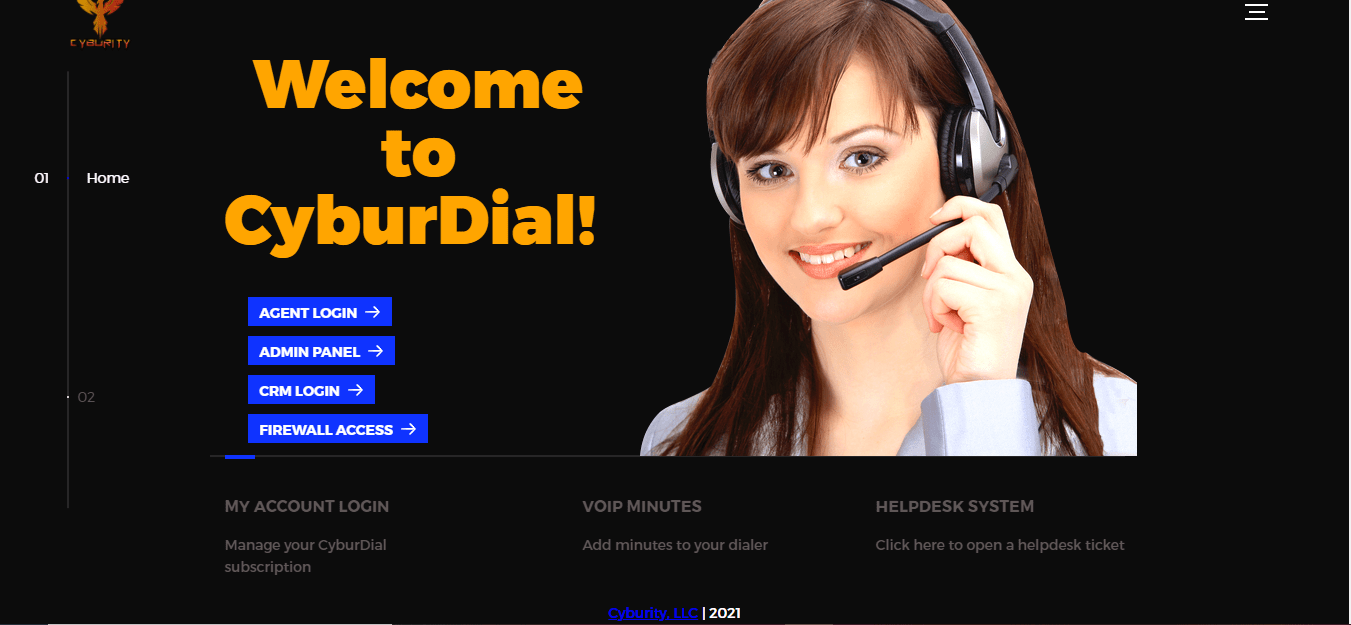
CyburDial Access Portal
CyburDial Admin Panel – Complete Remote Business Management Tool
Agent communication platform
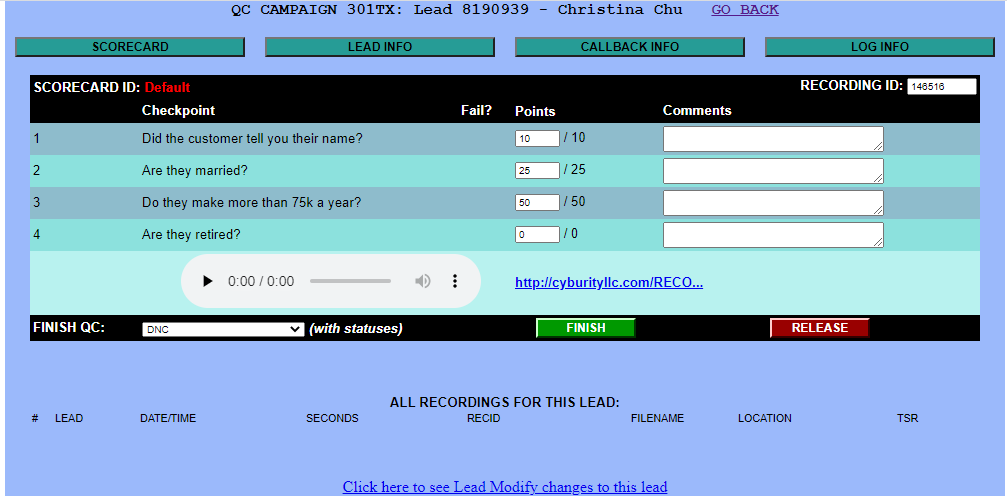
Quality Control Scorecards – Make sure your employee’s are following the “script”
2FA
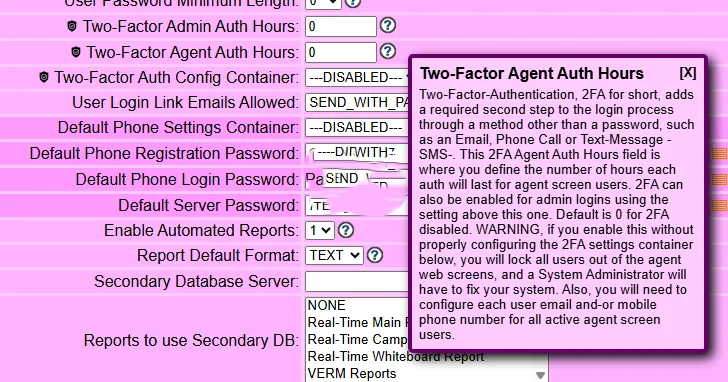
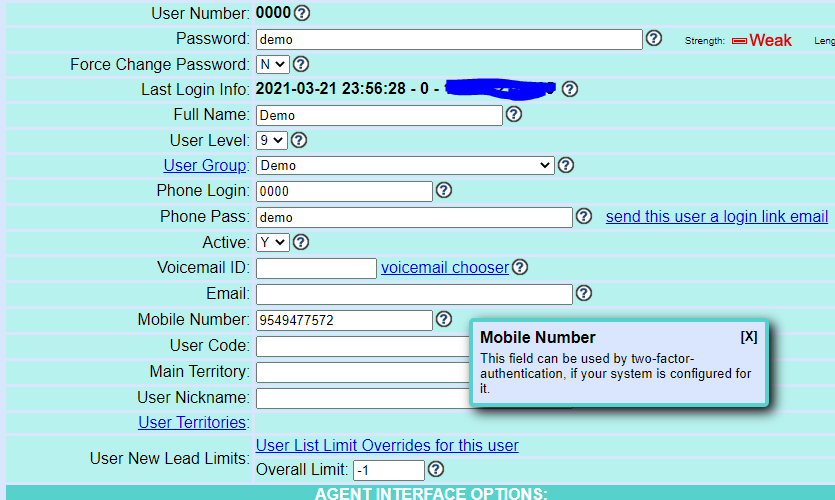
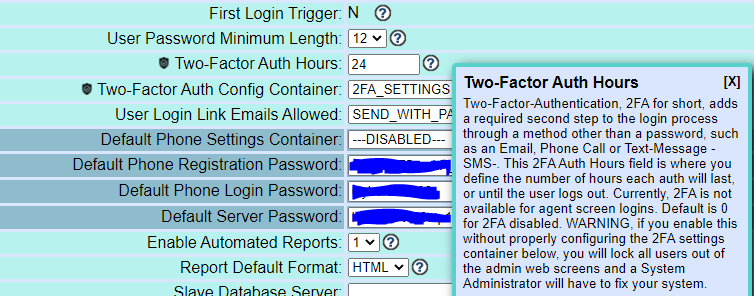
2 Factor Authentication – Totally secure your customer data, and other sensitive business info with a call, text or email
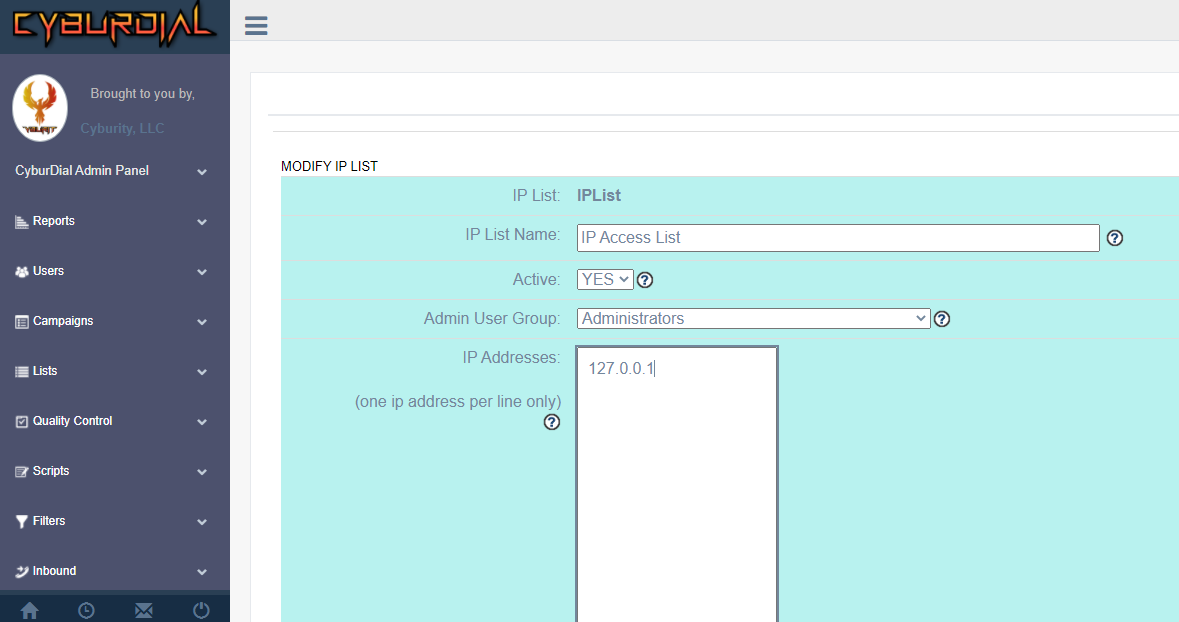
IP Whitelist Access
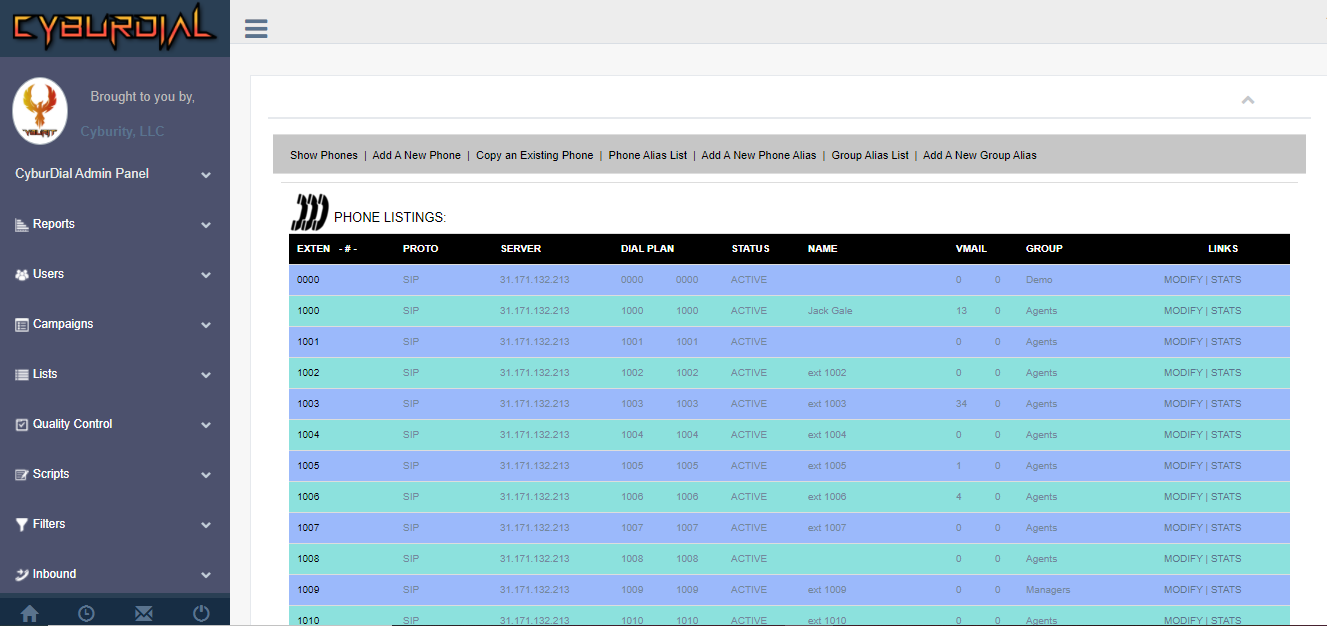
Easy User Management – Add/Delete/Edit Users and Phones with an easy to use web interface
Dynamic Portal
What’s new?
Our quality control module not only lets you create your own score cards to dictate the way a call progresses, you then have access to listen, grade and reassign the call back to its original caller or transfer it to its next stage of the sales funnel. Our programming team alongside CyburDial’s API capabilities can give your business management system, a custom fit, based around your business’ needs. We invite you to sign in and try it out, then get a free trial account on CyburDial by filling out the form below:
Quality Control Scorecards – Make sure your employee’s are following the “script”