VICIdial Development Roundup: Key Changes From Late November 2025 to Early 2026
By Carpenox — VICIdial Architect, Troubleshooter, and Eternal Code Archaeologist
Every few months I like to step back, sift through the commit logs, and take stock of how VICIdial continues to evolve. Since late November 2025, the project has seen a surprisingly dense wave of improvements — from AGI-level call‑flow logic to backend archival tooling, adaptive dialing enhancements, PHP8 compatibility, and even new experimental VCA components.
This cycle wasn’t about flashy UI changes. It was about tightening the engine, fixing long‑standing edge cases, and expanding the adaptive dialer’s intelligence. Below is my curated breakdown of what matters, why it matters, and how these updates impact real‑world call center operations.
AGI & Call‑Flow Enhancements
agi-DID_route.agi — 251112-1517
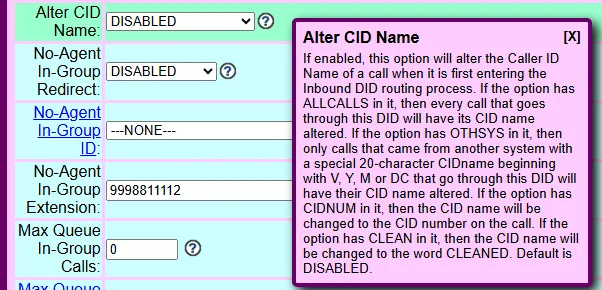
Added alter_cid_name option
A small but meaningful upgrade. This gives inbound routing more flexibility when manipulating Caller ID Name data — especially useful for branded routing, DID‑based identity masking, and carrier‑specific CNAM quirks.
VD_amd.agi — 260129-1443
Reinserts missing vicidial_auto_calls records
This is a big reliability win. In rare race conditions, AMD could lose track of an auto‑call record. This patch ensures the system self‑heals instead of leaving orphaned calls or broken agent states.
agi-VDAD_ALL_outbound.agi — 251020-0835
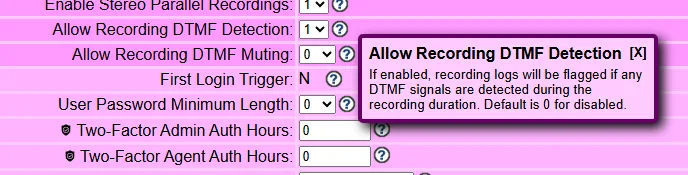
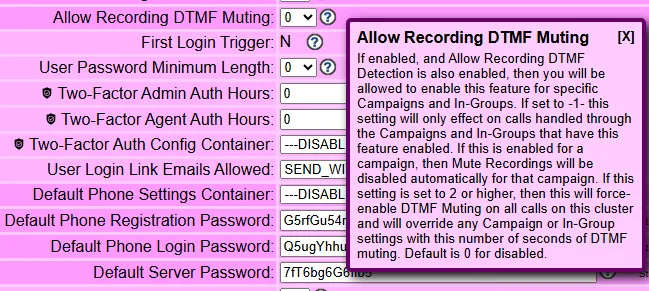
Added recording_dtmf_muting + stereo recording fix
DTMF muting is essential for PCI‑sensitive environments. Stereo recording fixes help anyone using dual‑channel compliance recording or advanced QA analytics.
cm_areacode.agi — 260108-0052
cm_postal.agi — 260107-2119
Both now update vicidial_list records with optional field variables
These scripts finally behave like first‑class data‑enrichment tools. If the lead exists, they can now push enriched metadata directly into custom fields — a huge win for automated lead hygiene.
agi/piper_generate.pl — 251014-1211
piper_generate_names.pl — 251104-0908
First build — part of the growing TTS/voice asset ecosystem.
First build; TTS caching added
Based on cepstral_generate.pl, this new generator caches TTS files for reuse. That means faster IVR prompts, fewer CPU spikes, and smoother high‑volume inbound flows.
Admin & Backend Maintenance Tools
ADMIN_archive_log_tables.pl — 260111-2138
Added --agent-log-only flag
Perfect for shops that want to archive agent logs without touching other datasets.
ADMIN_cold_storage_log_tables.pl — 251230-0853
Added --vl-year flag
Lets you target year‑specific vicidial_log_archive_YYYY tables. Cleaner, safer archival workflows for long‑running systems.
ADMIN_keepalive_ALL.pl — 260126-1334
Now checks reserved_extensions against dialplan numbers
This prevents accidental collisions when generating conf files — a subtle but important safeguard for multi‑tenant or heavily customized dialplans.
Adaptive Dialer Intelligence Upgrades
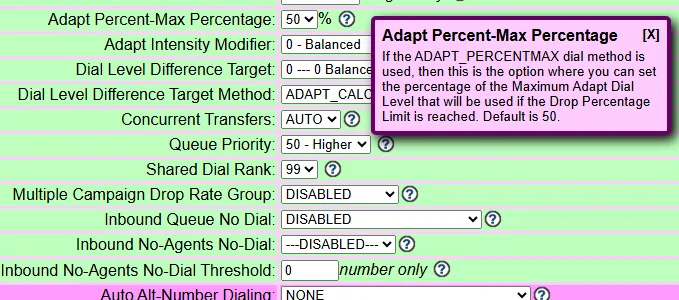
AST_VDadapt.pl — 251205-0949
Added adaptive_percentmax_percentage + new ADAPT_PERCENTMAX dial method
This is one of the most meaningful dialing upgrades in years. It gives admins tighter control over max pacing behavior and reduces the risk of over‑dialing during volatile traffic periods.
AST_VDauto_dial.pl — 251205-1455
Added SHARED_ADAPT_PERCENTMAX
This allows multiple campaigns to share adaptive pacing logic — ideal for blended or load‑balanced environments.
AST_list_export.pl
- 251128-1536 — Added
--basic-export - 251130-0006 — Added
--custom-export=XXX
These options make exports far more flexible, especially for CRMs that expect specific field layouts.
AST_update_AMI2.pl — 251203-2218
Added server_live_partitions inserts/updates
Improves AMI‑driven monitoring and partition‑aware reporting.
New & Experimental VCA Components
experimental/VCA/AST_VCA_log_report.php — 190329-1852
Legacy first build, but still relevant as the VCA suite expands.
experimental/VCA/VCA_client_settings.pl — 260112-1114
Initial build — foundational for client‑side VCA customization.
experimental/VCA/VCA_log_manage.pl — 260112-1455
First version — derived from the archive log tools.
extras/CRM_log_manage.pl — 260117-0756
First version — CRM‑focused log management built on the VCA framework.
Web Interface & PHP8 Compatibility
www/agc/functions.php — 251205-1742
Fix for undefined variable issues — small but necessary cleanup.
www/agc/vdc_db_query.php — 251124-0935
Added lead status display for callback list output
A quality‑of‑life improvement for agents and supervisors.
www/agc/vicidial.php
- 251124-0936 — Lead status display for callbacks
- 260106-1418 — PHP8 fixes
The PHP8 transition continues, and these patches keep the AGC stable.
www/vicidial/AST_hangup_cause_report.php — 260103-1900
Fix for missing variables in links — improves report reliability.
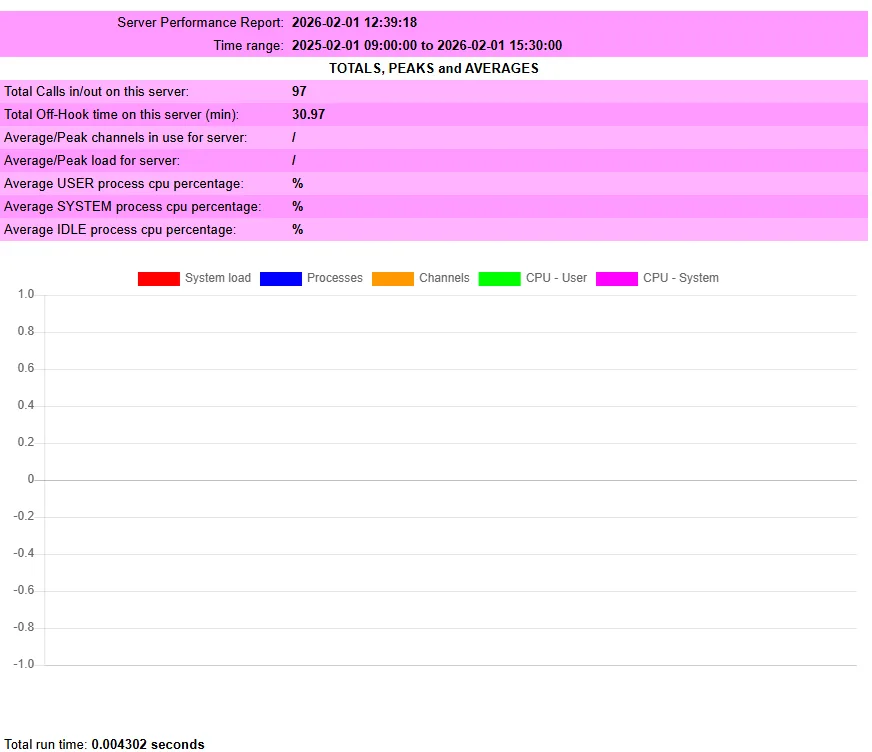
www/vicidial/AST_server_performance.php — 251001-1700
Switched from Ploticus to Graph.js
This is a modernizing move. Graph.js is lighter, more flexible, and plays better with responsive layouts.
www/vicidial/AST_timeonVDADallSUMMARY.php — 251205-1931
Added ADAPT_PERCENTMAX support — keeping reporting aligned with the new dialer logic.
www/vicidial/admin.php
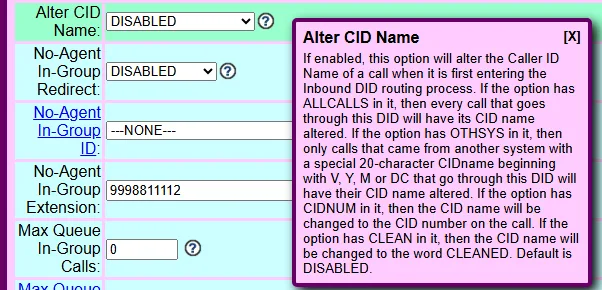
- 251112-2201 — Added alter_cid_name DID option
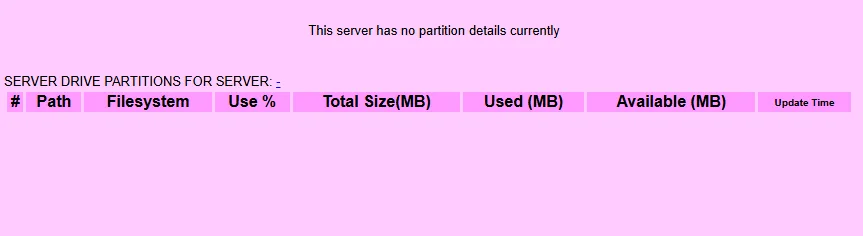
- 251204-0757 — Added SERVER DRIVE PARTITIONS display
- 251211-1134 — Added ADAPT_PERCENTMAX + adaptive_percentmax_percentage
- 260106-1438 — PHP8 fixes + 2026 date change
- 260126-1335 — Added reserved_extensions vs dialplan number check
This file saw the most action — reflecting how central the admin panel is to daily operations.
API Improvements
non_agent_api.php
- 251205-1456 — Added ADAPT_PERCENTMAX dial method
- 260123-1020 — Fixed
pause_secin agent_stats_export
API parity with new dial methods is essential for third‑party integrations, and the pause_sec fix resolves a long‑standing annoyance for analytics tools.
Additional System & Campaign Enhancements (UI, Compliance, Dialing Logic, and Security)


While the core AGI and backend updates defined this development cycle, VICIdial also introduced a wide range of UI‑level, compliance‑focused, and workflow‑refining features across System Settings, Campaigns, In‑Groups, and DIDs. These changes may look subtle at first glance, but they significantly improve agent experience, dialing accuracy, security posture, and administrative control.
Below is my breakdown of the most impactful additions.
Agent Experience & Workflow Controls
Hide Agent Failed Dial Codes
A new option that replaces raw SIP failure codes with a custom message.
This prevents agents from being overwhelmed by technical alerts and keeps the manual dial workflow clean.
Dialstring Filtering
Manual & 3‑Way Dialstring Filters
A major upgrade for dialing hygiene.
You can now enforce rules like:
- Digits only
- Digits + plus sign
- Digits + letters
- Remove leading 1 or 0
- Right‑trim to 10 digits
These filters prevent malformed numbers from hitting the dialplan and reduce carrier rejections.
Recording Enhancements & PCI‑Focused Features
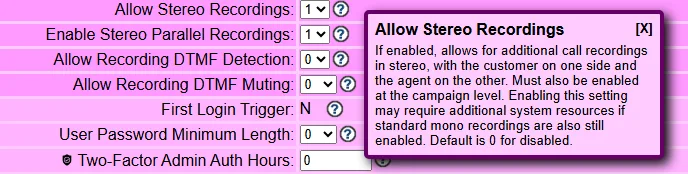
Stereo Recordings
Enables dual‑channel recordings (agent left, customer right).
Critical for QA, analytics, and compliance.
Stereo Parallel Recordings
Allows multiple simultaneous stereo recordings per call.
This is VICIdial’s most advanced recording capability to date.
Recording DTMF Detection
Flags recordings where DTMF tones occur — essential for PCI audits.
Recording DTMF Muting
A powerful privacy tool with multiple modes:
- Campaign‑level control
- Cluster‑wide override
- Forced muting for a defined number of seconds
This is VICIdial’s strongest PCI‑protection feature ever shipped.
Authentication, Passwords & Security
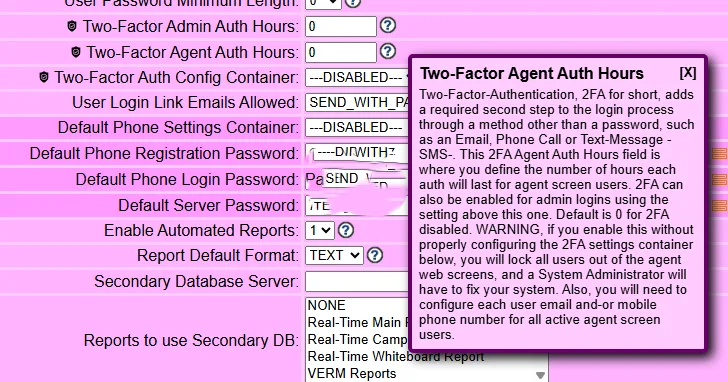
Two‑Factor Admin & Agent Auth Hours
Defines how long a 2FA session remains valid.
A major step forward for enterprise security.
Two‑Factor Auth Config Container
Centralizes all 2FA configuration.
If misconfigured, the system warns you to prevent accidental lockouts.
A subtle but important security refinement.
Reporting, Infrastructure & Diagnostics
Server Drive Partitions Display
Admin → Servers now shows drive partitions directly in the UI.
Great for catching low‑disk or misconfigured mounts.
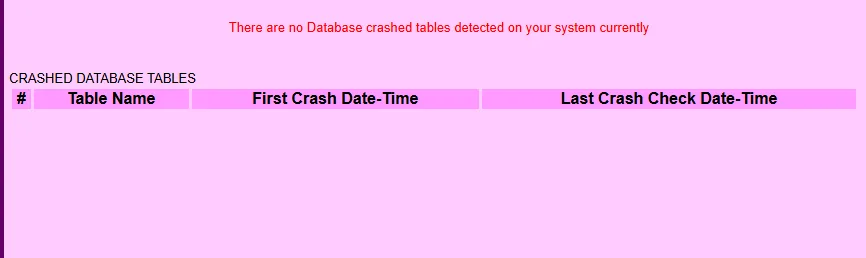
Database Crash Table Detection
A new diagnostic page that alerts you if any MySQL tables are in a crashed state.
This is one of those “finally” features that every admin appreciates.
Inbound DID Enhancements
Alter CID Name
A flexible new tool for manipulating Caller ID Name on inbound calls.
Modes include:
- ALLCALLS — alter every call
- OTHSYS — alter only calls from other systems
- CIDNUM — set CNAM to the caller’s number
- CLEAN — replace CNAM with “CLEANED”
This is extremely useful for multi‑system routing and carrier normalization.
Final Thoughts From the Field
This development window wasn’t about massive feature drops — it was about refinement, stability, and future‑proofing. The adaptive dialer got smarter. The admin tools got safer. The AGI layer got more reliable. And the PHP8 transition continues to harden the web interface for the next decade.
If you’re running a production cluster, these updates are absolutely worth pulling in. They reduce edge‑case failures, improve compliance recording, and give you more control over pacing and data hygiene.
-Chris aka carpenox